Meshy 6 Retexture: new skins for 3D models, up to 8K textures
Meshy 6 Retexture repaints a 3D model you already have. How it differs from Lite and from 7, when 8K is worth it, and prompts for props and figures.
There are now three retexture models in the catalog with almost the same name, and the first question people ask is which one to use. This post answers that for Meshy 6 Retexture honestly, then gets to the useful part: how to write prompts it does well with.
Lite, 6 and 7: what actually differs
All three take the same thing: an existing 3D model (GLB, GLTF, OBJ, FBX or STL) plus either a text description of the materials or a reference picture, and all three keep your geometry and paint only the surface. All three can keep your original UVs and can add PBR maps (metallic, roughness, normal) on top of the base colour.
- Meshy 6 Lite Retexture has no resolution setting. It is the quick sketchbook, covered in the Lite guide.
- Meshy 6 Retexture adds a texture resolution choice of 2K, 4K or 8K for the base colour.
- Meshy 7 Retexture lists exactly the same inputs and settings as 6. The difference is the generation of the model behind it, not the controls; the Meshy 7 workflow post walks through a full game asset with it.
So between 6 and 7 there is no rule we can honestly give you from the spec. The practical answer is a test: run the same file with the same prompt on both at the 2K default and keep whichever finish you prefer. There is also one solid reason to stay on 6. If you already textured a set of props with it, keeping the rest of the set on the same model keeps the look consistent.
Is 8K worth it?
Often not. A texture only shows its resolution when the object fills the screen. A crate in the corner of a level, a prop on a shelf or an item icon looks the same at 2K and 8K, and the bigger file costs you memory in the engine. Go to 4K for a main character or a prop the camera inspects, and save 8K for close-ups, product turntables and printed renders. One detail from the setting itself: at 8K only the base colour is 8K, the PBR maps stay at 4K.
Prompts that suit it
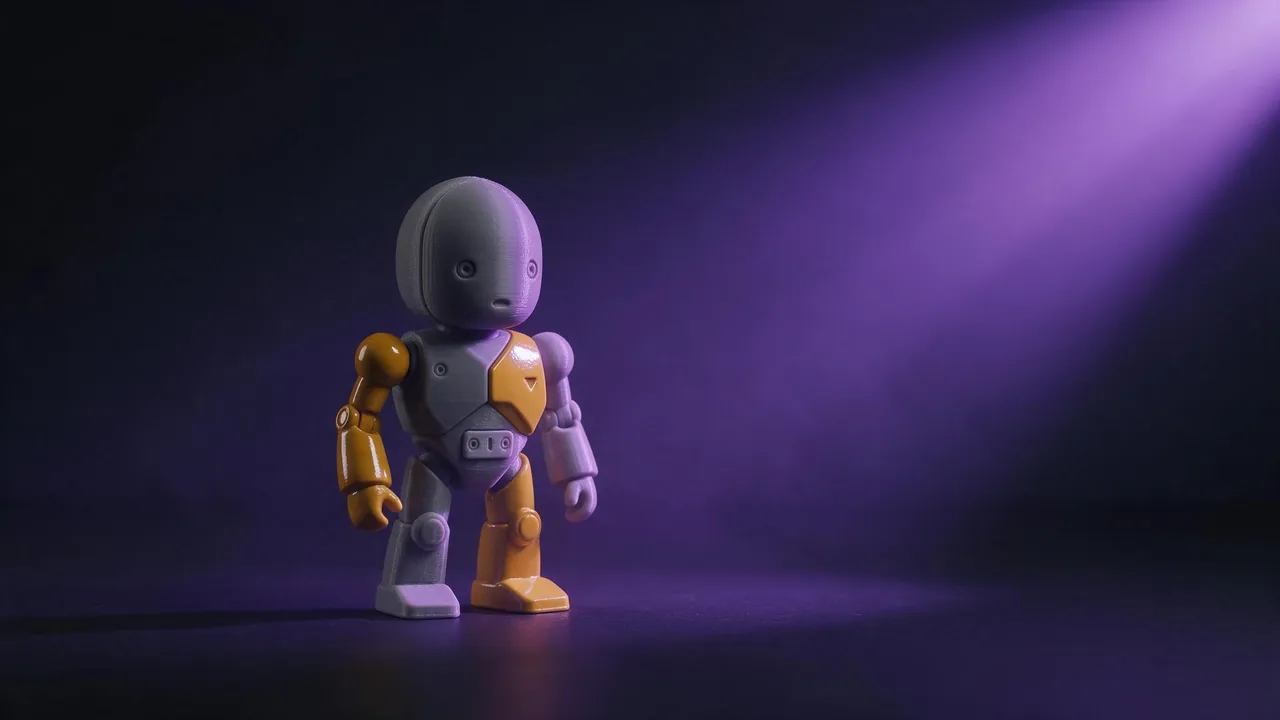
Its example on the model page is a small robot turned into a retro space courier: mustard-yellow enamel panels, a cream head, graphite rubber joints, brushed aluminium trim and turquoise glass eyes, with chipped paint on the edges. That prompt shows the pattern that works: name each part, give it one material, then add wear where wear would really be.
Retexture this figurine as a painted tin toy from the 1950s: glossy cherry-red body, cream face with simple painted eyes, silver key on the back, black rubber wheels. Small paint chips on the corners, slight rust at the seams. Cheerful, collectible, no text or logos.Retexture this chair as a Scandinavian design piece: light oak frame with visible grain, seat in woven natural paper cord, brushed steel screws. Clean, new, catalogue quality, soft matte finish everywhere.Retexture this stone statue as weathered marble: off-white with grey veins, darker grime in the folds of the robe, moss in the lowest crevices only, smooth worn surface on the face and hands.A reference picture (passed as a link) wins over the prompt if you send both, so send the picture when the look is easier to show than to describe, and the prompt when you need control over each part. The reference images guide explains why one clear reference beats a mix.
Where it falls short
It will not repair geometry, so fix holes and flipped faces in your 3D tool first. And in our studio the upload slot for this model takes pictures, not 3D files, so for now it runs through the API, with a public https link to your model in the model field; see the API docs. Every 3D model in the catalog is on the models page if you still need to make the shape.
Questions
What is the difference between Meshy 6 Retexture and Meshy 6 Lite Retexture?
Meshy 6 Retexture lets you choose a 2K, 4K or 8K base-colour texture. Lite has no resolution setting. Both keep your geometry and can add PBR maps.
Should I use Meshy 6 or Meshy 7 Retexture?
Their inputs and settings are the same. Run one test on each with the same prompt, or stay on 6 to match a set you already made with it.
Does 8K apply to the PBR maps too?
No. At 8K the base colour is 8K and the metallic, roughness and normal maps stay at 4K.