The AI action figure of yourself: a boxed toy from one photo
Turn your own photo into a boxed action figure with its accessories in the tray. The parts list, the prompt, how to keep the face, and whose photo you may use.
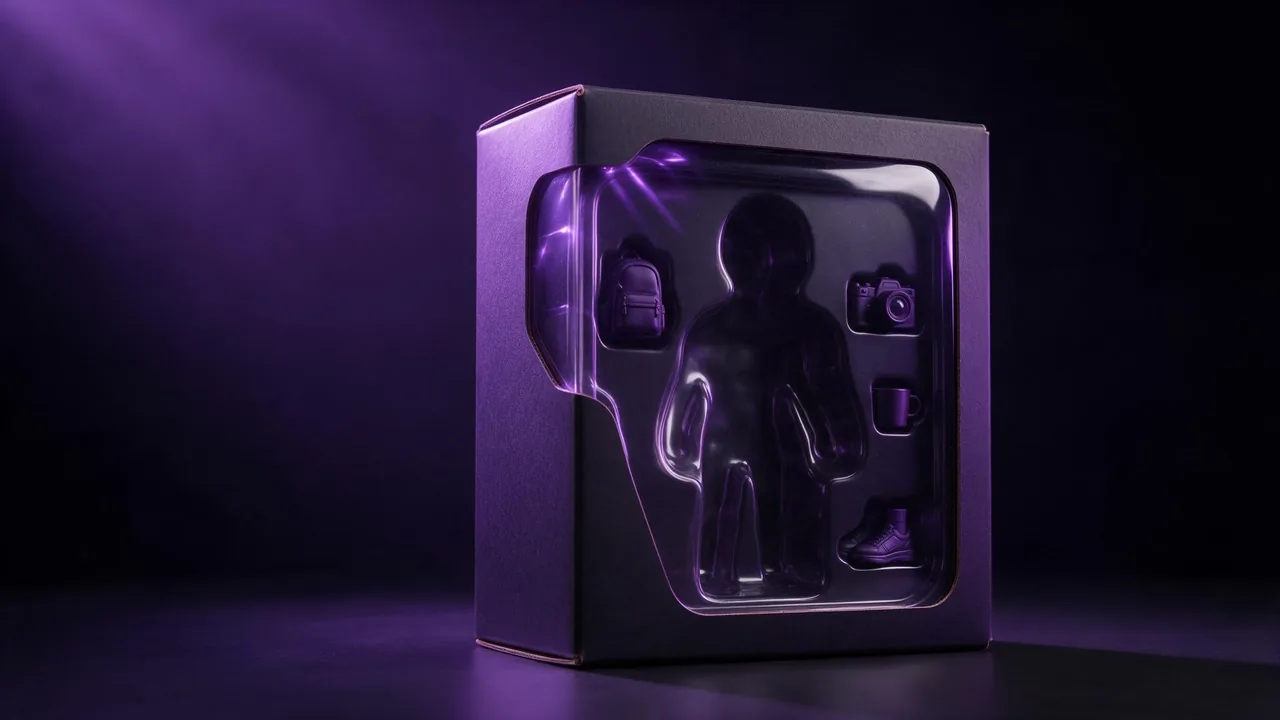
You have seen them in every feed: a person shrunk into a plastic figure, sealed in a box with a clear window, a tiny laptop and a tiny coffee cup in their own little slots beside them. It looks like a toy you could buy, and the joke is that the toy is you. The picture is a single edit of one photo, and it is easier to get right than it looks, as long as you treat it like a kit: a few parts, assembled in the right order.
What is in the box
Before you write anything, decide on the parts. A boxed figure picture that reads at a glance has five of them:
- The figure. You, full body, as a small plastic figure with a slightly glossy finish and visible joints at the shoulders and knees.
- The box. A cardboard backing card with a clear plastic window, the kind that hangs on a shop hook.
- The tray. The moulded plastic insert that holds the figure and each accessory in its own shaped hollow.
- The accessories. Three to five small objects that say who you are: a camera, a skateboard, a cat, a guitar, a stack of books.
- The light. Bright, even product lighting with a little shine on the plastic, so it reads as a photographed toy and not a painting.
The accessories carry the whole joke. Pick objects someone who knows you would recognise in one look. More than five, and the tray turns into a cluttered shelf where each item gets too few pixels to stay crisp.
Pick an edit model that takes references
This is an edit, not a generation from scratch: the model has to see your face. On the models page, look at the image-to-image models. Some of them take several reference pictures in one run and let you point at each one by its order in the upload. Krea V3 Edit and Flux 3 Image Edit both work that way, which matters here: picture 1 can be your face, and picture 2 a photo of your real backpack or your real dog, so the tiny accessory looks like yours and not a generic one.
In the studio, attach the pictures with + Image, face first. The price of the run is on the Generate button before you press it.
The face photo
A figure is small, so people assume any photo will do. The opposite is true: the model has to shrink your features onto a toy-sized head and still keep them yours, and it can only keep what it can see. Use a sharp photo where your face is large, lit evenly and turned roughly towards the camera. A full-body shot helps with the outfit, but if the face in it is tiny, add a close portrait as a second reference and say which picture is which.
The prompt, assembled
Write it in the same order as the parts list, and put the face lock first. Leave the box card blank: models still misspell lettering, and a plain card looks cleaner than a garbled name.
Turn the person in picture 1 into a small plastic action figure, full body, sealed in a toy box with a clear plastic window and a plain teal backing card with no text. Keep the face, skin tone, hairstyle and glasses from picture 1 recognisable on the figure. Outfit: the same jacket and jeans as in the photo. Beside the figure, each in its own moulded tray slot: a film camera, a takeaway coffee cup, a pair of white sneakers and a tiny laptop. Bright even product lighting, a soft shine on the plastic, plain light grey background.Make the person in picture 1 into a boxed collectible figure in a clear plastic window box with a plain dark green card. Keep the face and hair from picture 1. Put the backpack from picture 2 next to the figure as a miniature accessory in its own slot, and add a small hiking map and a metal water bottle. Studio product photo, front view.When the figure stops looking like you
The toy style pulls faces towards a generic doll: bigger eyes, smaller nose, smoother skin. A little of that is the look; too much and it is no longer you. Three fixes, in order:
- Re-roll once or twice with the same prompt. Each run is a new attempt, and the face may simply land better.
- Name the features that drifted: "keep the eye shape, the nose and the jawline from picture 1". Vague locks get vague results.
- Tone the toy down: "realistic proportions, not a cartoon" keeps the head from swelling into a bobblehead.
If one model keeps losing the face after a few corrected tries, try the other one; edit models differ a lot in how much likeness they hold. And always edit from your original photo, never from the last result, or the drift adds up. The guide to writing edit prompts has more on lock lines, and reference images for a consistent style covers making a whole set of figures that match.
Your photo, or a photo you were given
Make a figure of yourself, or of someone who said yes. A boxed toy of a friend for their birthday is a nice surprise only if they would be happy to see it shared; when in doubt, ask first. For a child, ask the parents. Never make one of a stranger, a colleague who does not know, or a public figure, and never anything that mocks or sexualises a real person. The terms forbid deepfakes and any sexual or intimate image of a real, identifiable person. Keep real brands off the box too: no logos or names of real toy lines.
What will not work
Nothing here guarantees a perfect likeness at toy scale; expect a recognisable you, not a passport photo. Lettering on the card is unreliable, so if you want your name on the box, add it afterwards in an editor. Groups are hard: every extra person in the box is one more face to drift, so start solo. And this makes a picture of a toy, not a toy. If you want something you can turn around or print, see the post on turning a photo into a 3D model, and expect that to be a separate project.
Questions
How do I make an AI action figure of myself?
Use an image-to-image edit model, upload a sharp photo of your face, and ask for a small plastic figure sealed in a toy box with a clear window and a few accessories in their own tray slots. Put the face lock first.
Can I use my own objects as the accessories?
Yes, with a model that takes several references. Upload your face as picture 1 and the object as picture 2, then ask for picture 2 as a miniature accessory beside the figure.
Why is the writing on the box wrong?
Image models still misspell text. Ask for a plain card with no text and add any name afterwards in an image editor.
Can I make an action figure of someone else?
Only with their permission, and a parent's for a child. The terms forbid deepfakes and any sexual or intimate image of a real, identifiable person.