A frosted window portrait from your own photo
Put yourself behind a frosty window pane with an AI edit: frost ferns at the edges, a clear breath patch, warm room light against a cold blue night.
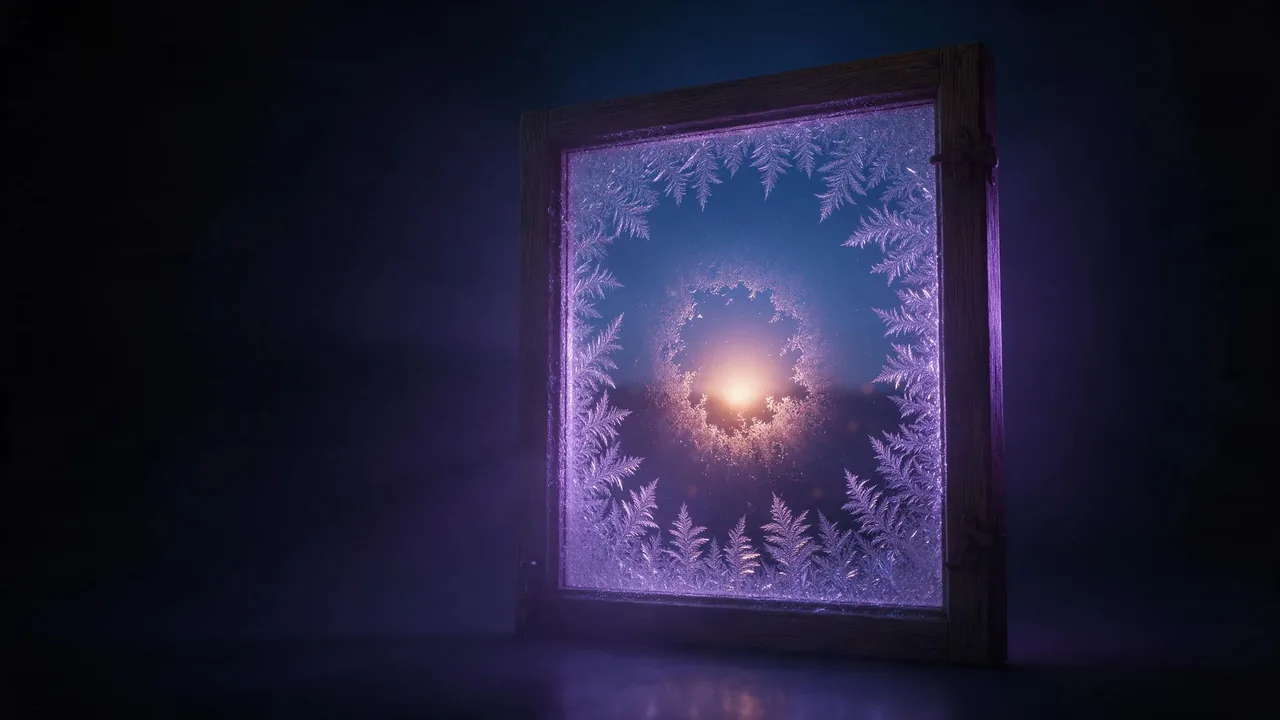
Here is the picture: a cold night, an old window, and you on the other side of the glass. Frost has grown in from the corners in feathery ferns, someone has breathed a round clear patch in the middle, and through that patch your face sits in warm lamp light while the street outside stays blue. It looks like a still from a winter film, and it is one of the easier seasonal edits to get right, because the frost does most of the work and the face barely has to change.
The hard part is the order of things. The glass has to sit in front of you, not on you, and the clear patch has to land where your face is. This post is a checklist for that, plus three prompts and the usual ways it goes wrong.
Checklist: the photo you start from
- Face large and sharp. Head and shoulders, looking at the camera or just past it. The frost will cover the edges of the frame, so a full-body shot loses too much.
- Soft, even light on the face. A flat indoor photo is fine; you will ask for warm lamp light anyway. Hard sun with deep shadows fights the cosy mood.
- Nothing important near the edges. Hands, a pet, a scarf you love: keep them towards the centre or accept that frost may cover them.
- Your own photo, or one of someone who agreed. More on that at the end.
Checklist: the four layers of the scene
Describe the picture from the viewer outwards, one layer per sentence. Models handle depth far better when you hand it to them in order:
- The glass. Frost ferns and ice crystals growing from the corners and edges, thick at the borders, thinning towards the middle.
- The clear patch. A round, slightly misty area in the centre where the glass has thawed, with soft melting edges and a few tiny water droplets.
- You. Behind the glass, seen through the patch, lit by warm amber light from a lamp inside the room.
- The room and the night. A hint of a cosy interior behind you, and cold blue light from outside reflecting on the pane.
The contrast between warm and cold is what sells it. Say both colours out loud: "warm amber light inside, cold blue night light on the glass". The cinematic lighting prompts post has more words for mixing two colour temperatures in one frame.
Three prompts to copy
Attach your photo in the studio with + Image and pick an image-to-image model on the models page; Krea V3 Edit is a good first try. Every prompt starts with the lock, so the face is protected before the frost arrives.
Keep the face exactly as in the photo: same eyes, nose, mouth, skin tone, hairline and expression, natural skin texture. Show the person seen through a frosted window pane at night. Intricate white frost ferns and ice crystals cover the edges and corners of the glass. In the centre, a round clear thawed patch shows the face. Warm amber lamp light inside the room lights the face, cold blue night light reflects on the glass. Photorealistic, shallow depth of field, frost slightly in focus.Keep the face, hair and clothing from the photo unchanged. The person stands just behind an old wooden-framed window, one hand resting on the sill. Frost has covered the glass except for a small clear area that a fingertip has wiped, through which the eyes and smile are visible. Soft candlelight inside, deep blue snowy dusk outside, gentle reflections of the room on the pane.Keep the face exactly as in the photo. A close-up portrait through frosted glass, as if photographed from outside on a snowy night. Delicate frost patterns cover most of the frame, a clear oval around the face. The face is warm and sharp, the frost cool and slightly out of focus in front of it. A few snowflakes falling between the camera and the glass.What goes wrong, and the fix
- Frost on the skin. The model painted ice onto your cheeks instead of the glass. Add "the frost is only on the glass in front of the person, the face itself is clean and dry".
- The face is blurred too. You asked for frosted glass and it frosted everything. Say "the face is sharp and in focus through the clear patch".
- A different person. Too much scene, too little lock. Move the keep line to the very start and list features by name; the plastic skin fix helps when it comes back smoothed.
- Everything turned blue. The cold light reached the face. Repeat "warm amber light on the face" and keep the blue for the glass and the background.
- Frost looks like white paint. Ask for "fine crystalline frost ferns, translucent, catching the light" instead of just "frost".
Always restart from your original photo, never from the last result: each round moves the face a little further. If one model keeps losing you after a few tries, switch to another edit model; they differ in how much likeness they hold. The guide to writing edit prompts goes deeper on lock lines.
Ratios, cost and what to expect
A square or 4:5 frame suits the round patch best; 9:16 works for a Story if you ask for more frost above and below. The price shows on the Generate button before you run, and each render is paid from your balance in euros, so trying all three prompts means three renders.
Honest limits: frost is a fine, chaotic pattern, and no model draws the same ferns twice, so you cannot reproduce one exact pane across a set. Small text on the glass (a name traced in the frost, for example) usually comes back garbled; leave it out and add lettering in an editor. And the likeness is never perfect on the first try. Expect a few runs before the face behind the glass is clearly yours.
Want snow without the window? Add realistic snow to your photo keeps the scene and only changes the weather, and the Christmas market portrait puts you outside among the stalls instead.
Your face, or one you were given
Use your own photo or one of someone who said yes, and a parent's yes for a child. Nothing sexual, humiliating or meant to pass as a real event: the terms forbid deepfakes and any sexual or intimate image of a real, identifiable person.
Questions
How do I make a frosted window portrait from my photo with AI?
Upload a sharp head-and-shoulders photo to an image-to-image edit model, lock the face first, then describe frost ferns on the edges of the glass, a clear patch over the face, warm light inside and blue light outside.
Why does the AI put frost on my face?
It does not know which layer is glass. Say that the frost is only on the glass in front of the person and that the face is clean, dry and sharp through the clear patch.
Can I write my name in the frost?
You can ask, but models draw letters badly and the result is often garbled. Leave a clear area and add the text later in an editor.