Glass, liquid and transparent products in AI product photos
Bottles, glasses and drinks are the hardest AI product shots. The words for backlight, refraction and condensation, and why the edges still need a second look.
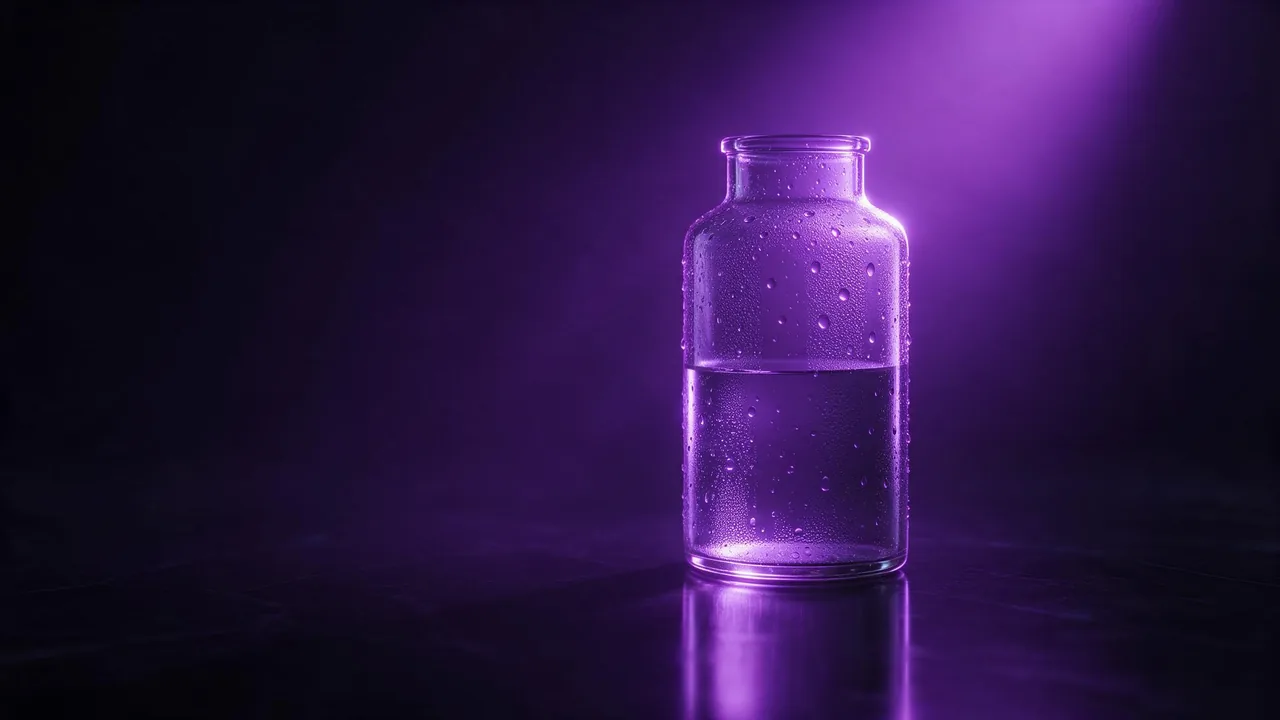
Ask for "a glass of water on a table" and you usually get one of two failures. Either the glass is so clean and even that it looks like grey plastic, or it is a soup of reflections with no clear edge, so the table seems to melt into it. Real product photographers have the same problem with a camera, and they solved it a long time ago. Glass is not photographed, its edges are. The words that fix an AI render are the words a studio uses to light a bottle.
Why does glass go wrong so often?
A transparent object has almost no surface of its own. What you see is the background bent through it, a few highlights, and the dark or bright lines where the glass is thick. If the prompt names none of those, the model fills them in with an average of every glass it has seen, and the average is mush. Your job is to say what is behind the glass, where the light comes from, and what the edges should look like.
Light it from behind, not from the front
Front light on glass gives a flat, shiny blob. Backlight is what makes a bottle glow and its outline read. Two classic setups are worth naming outright:
- Bright field: a light background behind the glass. The edges come out as dark lines, clean and graphic, good for a catalogue on white.
- Dark field: a dark background with light coming from behind and the sides. The edges come out as bright lines on black, the look of whisky and perfume ads.
A clear perfume bottle with a square stopper on black glass, dark field lighting, two strip lights behind and to each side drawing thin bright lines along the edges, deep black background, faint reflection on the surface below, studio product photographyA tall drinking glass of sparkling water with ice, bright field lighting against an evenly lit white backdrop, crisp dark edges on the glass, small bubbles rising, a slice of lime on the rim, clean e-commerce product shotRefraction: say what is behind the glass
A model draws refraction better when it knows what to bend. A plain backdrop gives a calm, clean glass. A striped cloth, a window or a row of lights behind it gives visible distortion, which reads as "real" at a glance. If you want that, name the thing behind the object and the word refraction, for example "the window frame behind it bent and flipped through the liquid". If you want a calm catalogue shot, ask for a plain, even background and nothing behind the product at all.
Liquids, condensation and splashes
Liquid is where the details sell the shot. Three phrases do a lot of work:
- The colour of the liquid with light through it. "Amber whisky glowing where the backlight passes through" beats "a glass of whisky".
- Condensation, with a size. "Fine beads of condensation on the lower half, a few larger drops running down" looks cold. Just "condensation" often becomes a uniform grey fog.
- One splash or one pour, frozen. "A single pour of orange juice into the glass, frozen mid-air, a few droplets" works better than a big splash, which tends to sprout liquid in places it could not physically be.
A cold bottle of craft lemonade on a wet slate surface, backlit with warm light so the yellow liquid glows, fine condensation beads on the glass and two drops running down, a soft out of focus background of green leaves, shallow depth of field, beverage advertising photographyCheck the edges before you keep a render
Glass renders fail in small places. Before you download, zoom in on four spots: the rim, where an ellipse is easily broken or doubled; the base, where the glass meets the table; the line of the liquid, which should be level unless the glass is tilted; and anything seen through the glass, which should be bent, not pasted on top. If one of them is wrong, fix that spot with an edit rather than rolling the whole picture again. The edit prompt guide shows how to name one area and leave the rest alone.
What AI still cannot do here
It does not know your bottle. A text prompt gives you a believable bottle, not yours with its exact shape and label. For a real product, start from your own photo with + Image on a model that takes one, and expect to check the label text yourself, since lettering through and on curved glass drifts. Transparency is also the hardest case for cutting an object out of its background: the background shows through the glass, so a cut-out can carry bits of the old scene in it. The background removal post explains when to cut out and when to ask for a new background instead. And no prompt makes physics correct every time; expect a few re-rolls on the shots with splashes.
To try it, pick an image model on the models page and open the studio. The price of each render shows on the Generate button before you press it.
Questions
How do I make AI glass look real instead of like plastic?
Light it from behind and describe the edges: dark field for bright edge lines on black, bright field for dark edge lines on white. Name what is behind the glass so the model has something to refract.
Why does condensation come out as grey fog?
The word alone is vague. Give the drops a size and a place, such as fine beads on the lower half with a few larger drops running down.
Can I use AI on a photo of my own bottle?
Yes, on a model that takes an image input. Check the label and the edges yourself, since text on curved glass and transparent outlines are where renders drift.