Chrome, metal and mirror finishes in AI product photos
Why AI chrome comes out flat grey, and how to fix it by describing what the metal reflects: light strips, dark flags, brushed or polished finish.
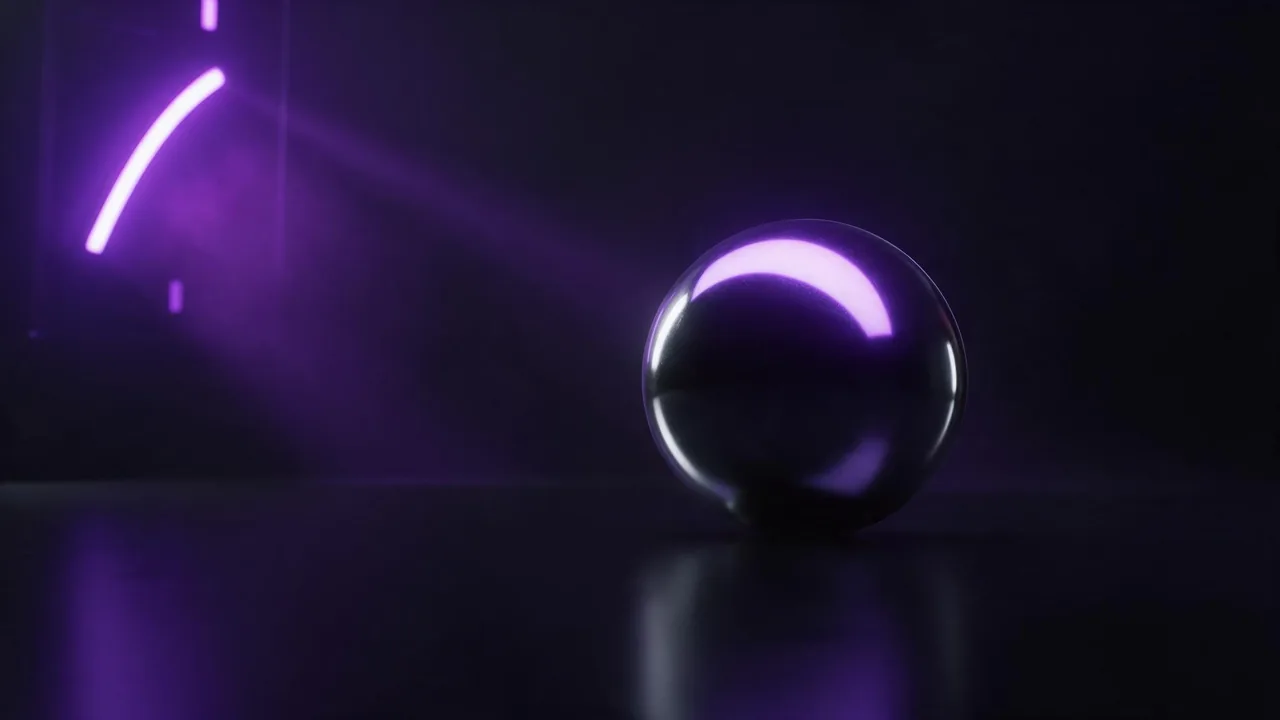
Here is the trap. You ask for a chrome kettle in a clean white studio, and you get a kettle the colour of wet cement. Nothing is wrong with the model. A mirror in an empty white room shows an empty white room, and a curved mirror shows it as a smear of grey. Chrome has no colour of its own; it is a picture of everything around it. So the prompt that makes metal shine does not describe the metal much at all. It describes the room the metal is reflecting.
Myth: more light makes metal shinier
Flooding a chrome object with even light is exactly how you get the grey. Shine on metal is contrast: a bright stripe next to a dark one, curving along the shape. Photographers get it with long soft lights and black panels (flags) placed around the product, so the surface reflects both. In a prompt, name both halves. "Bright" alone gives you glare; "bright strip reflections against deep black" gives you chrome.
A polished chrome espresso tamper standing on black acrylic, two tall strip softboxes reflected as clean white lines along its curves, black flags around it so the rest of the surface reflects deep black, controlled highlights with no hotspots, a soft reflection on the acrylic below, studio product photographyMyth: chrome is one material
To a model, "metal" is a vague average. Four finishes behave very differently, and each has its own words:
- Polished or mirror chrome: sharp, clear reflections of the surroundings. Name the light strips and what else is in the room, because all of it will show.
- Brushed steel: fine parallel lines that stretch highlights into soft streaks. Say "brushed finish, highlights stretched along the grain", or it turns polished.
- Anodised or coated metal: colour lives in the surface, reflections are soft. "Matte anodised aluminium in deep blue, soft sheen on the edges" keeps the colour from washing out.
- Aged or worn metal: scratches, fingerprints, a patina in the recesses. "Fine scratches on the flat faces, darker patina in the engraved lines" adds age without rust taking over.
The texture and material guide lists more of these words for the parts of a product that are not metal.
Decide what the reflection shows
Because chrome shows its surroundings, you get to choose them. A plain gradient (light at the top, dark at the bottom) reads as clean and expensive. A window reflection reads as a kitchen or an office. Coloured light reflected on chrome changes the mood of the whole picture without touching the product. Whatever you pick, say it plainly, because the model will invent a room if you do not, and an invented room is where stray shapes, doubled windows and random objects appear in the metal.
A chrome table lamp on a walnut desk, its curved shade reflecting a tall window with soft daylight and the dark room around it, the reflection bent smoothly along the curve, warm afternoon light, shallow depth of field, interior product photographyGive it a floor and a shadow
A shiny object with no contact shadow looks pasted in. Name what it stands on and how they touch: "a soft contact shadow under the base" on a matte surface, or "a faint mirrored reflection below" on a gloss one. Black acrylic and dark slate are the classic choices for metal, since they keep the darks dark. If the product has glass parts too, a watch face or a lamp bulb, the glass and liquid guide covers those in the same lighting language.
Fixing a render that is almost right
Metal renders often fail in one place: a reflection that breaks on a curve, a highlight that burns out, a logo that went soft. Rather than re-rolling the whole picture, fix that spot with an edit and leave the rest alone. Name the area and the change, for example "remove the bright hotspot on the lid, keep everything else the same". The edit prompt guide shows how to word that so nothing else moves.
What AI cannot do for chrome
It will not keep reflections physically correct. A mirror surface should show exactly what is in front of it, and a model only shows something that looks plausible, so a sharp-eyed viewer may spot a reflection that matches no room. It does not know your product either: a text prompt gives you a believable kettle, not yours. For a real item, start from your own photo with + Image on a model that takes one, ask it to keep the shape and finish, and check engraved text and logos yourself, since fine lettering on curved metal drifts. Very reflective products may still need a few re-rolls before the highlights sit right.
Choose an image model on the models page and open the studio. The price of every render shows on the Generate button before you press it.
Questions
Why does chrome look grey in AI images?
Chrome reflects its surroundings, and an evenly lit empty studio is grey. Describe bright strip lights and black flags around the product so the metal has light and dark to reflect.
How do I prompt brushed metal instead of polished?
Say brushed finish and that the highlights stretch along the grain. Without that, most models default to a polished mirror look.
Can AI keep the exact shape of my metal product?
Start from your own photo on a model that takes an image input and ask it to keep the shape and finish. Check logos and engraved text yourself, since they drift on curved surfaces.