Turn your own photo into a Christmas tree ornament with AI
Make a glass bauble, a wooden cut-out or a felt ornament from a photo of your pet, your partner or your house, keep it recognisable and crop it for print.
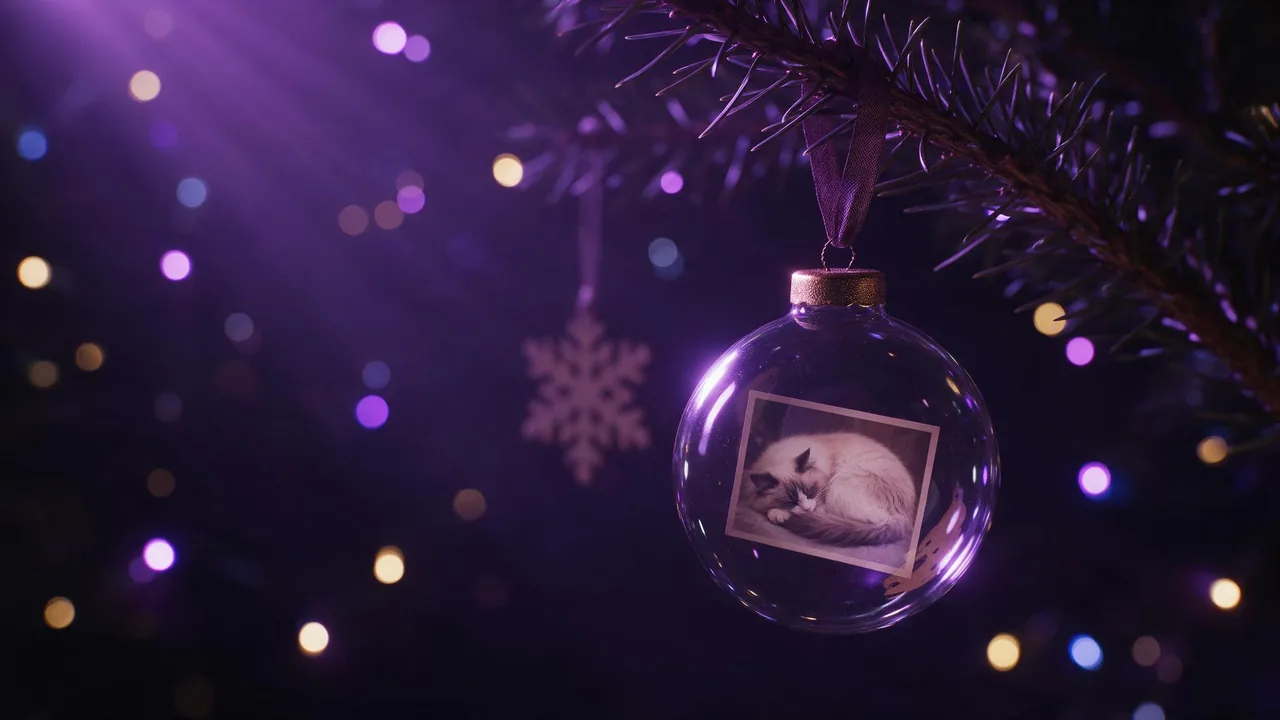
A photo ornament is a small object with one job: someone looks at the tree and says "that's our dog" or "that's the old house" without being told. Everything below serves that one moment. You start from a photo you already have, an edit model turns it into a glass bauble, a wooden cut-out or a felt ornament, and you end with an image that can go on a card, a gift tag, a phone wallpaper, or to a print shop that makes real ornaments from a picture.
This is not the snow globe post, which builds a tiny world from words, and not the ugly sweater one, which is about knitted patterns. Here the subject comes from your camera roll and has to survive the trip.
Choose the photo first, the ornament second
Ornaments are small and round or flat, so the subject has to read at a glance. The photos that work best:
- A pet, face to the camera. Eyes and ear shape are what make a cat or dog look like yours. A side view of a running dog turns generic once it is shrunk into a bauble.
- Two adults, heads close together. A couple or two friends fit a round frame. A wide group photo does not; faces become dots.
- A house, front on. The roof line, the door colour and the windows are the identity of a building. A three-quarter view with a car in front loses them.
Crop the photo yourself before you upload it, so the subject fills most of the frame. The model treats what it is given as the subject; a lot of background invites it to put the background on the ornament too.
Glass bauble: the picture lives behind reflections
A glass ball is the classic look and the hardest one. Curved glass reflects the room, so the picture inside should be slightly softened by a highlight, never sharper than the glass around it. Ask for the photo as a printed image on the ball's surface, or as a small print floating inside clear glass; both read well, but say which one, or the model mixes them.
Turn this photo into a clear glass Christmas bauble hanging from a thin red ribbon loop on a fir branch. The dog from the photo is printed on the front of the ball, following its curve. Keep the dog's face, eye colour, ear shape and fur markings exactly as in the photo. One soft window highlight across the upper left of the glass, a warm reflection of tree lights along the bottom edge. Behind it, out-of-focus round tree lights in the dark. Square frame, the bauble centred with space around it.Reflections are where glass ornaments go wrong: either none at all, so the ball looks like a flat sticker, or so many that the dog disappears. One clear highlight and one warm reflection is a good default. The words in texture and material words help when the glass looks like plastic.
Wooden cut-out: shape over detail
A wooden ornament is a silhouette first. A laser-cut or hand-painted plywood piece can carry the outline of a house or the shape of a cat sitting, and a little painted or burned detail inside. It is the most forgiving style, because the identity is in the outline, and the most useful for a house photo.
Turn the house in this photo into a flat wooden Christmas ornament cut from light plywood, the outline following the real roof line, chimney and porch. The front door painted dark green and the windows painted warm yellow as in the photo, fine burned lines for the roof tiles, visible wood grain, a small drilled hole at the top with a jute string loop. Hanging on a dark fir branch, tree lights blurred behind.Felt ornament: soft, simple, hand-made
Felt asks the model to simplify. A cat becomes a few cut shapes of felt with blanket-stitch edges, embroidered eyes and a stitched nose. Simplification is exactly where recognisability is lost, so name the two or three things that must stay: the coat colour and pattern, the eye colour, one marking. "A white blaze on the chest" saves more likeness than any amount of "keep it the same".
The hanging loop and the tree behind
Two small details sell an ornament: something it hangs from, and a tree it hangs on. Name the loop material (ribbon, jute string, gold thread, a metal cap on a glass ball) and where it attaches. Then ask for the tree as soft round bokeh rather than sharp needles; a sharp background competes with a small subject. If the ornament keeps floating in the air, add "hanging from a fir branch at the top of the frame".
A print-ready crop
If the image goes to a print shop, ask for the ornament alone on a plain background, straight on, centred, with even space all round, and a square frame; most ornament blanks are round or square. For a card, keep the tree and the bokeh and pick a portrait or landscape frame instead, as in aspect ratios for AI images. Upscale only at the very end, and choose a faithful upscale so the face is not reinvented; faithful or creative explains the difference.
In the studio, and the limits
Open the studio, pick an image-to-image model, attach your photo with + Image, paste one of the prompts and adapt the subject words. The price is on the Generate button before you run it. Run two or three variations; one usually holds the likeness better than the rest.
What it cannot do: the studio makes a picture of an ornament, not a printing file with cut lines or a template for a laser cutter, so a print shop will still place it on their own blank. Very small details, such as a name written on the ball, often come out misspelled; add text afterwards in a design tool. And a likeness is never guaranteed: if a face drifts, try another edit model with the same words before rewriting them, as in how to write AI image edit prompts. Use photos of people only with their consent, and of adults.
Questions
How do I turn a photo into a Christmas ornament with AI?
Attach the photo to an image edit model, describe the ornament (glass bauble, wooden cut-out or felt), the hanging loop and a blurred tree behind, then end with a keep line naming the features that make the subject recognisable.
Which photo works best for a photo ornament?
A pet facing the camera, two adults with their heads close together, or a house shot from the front. Crop it so the subject fills most of the frame before you upload it.
Can I print the AI ornament image?
Yes. Ask for the ornament alone on a plain background in a square frame, then use a faithful upscale. The studio gives you the image, not cut lines, so the print shop places it on its own blank.