AI snow globe scenes: a miniature world under glass
Build a snow globe from the inside out: a tiny village, lighthouse or cabin, the glass dome, a base and snow that reads as flakes. One prompt to copy.
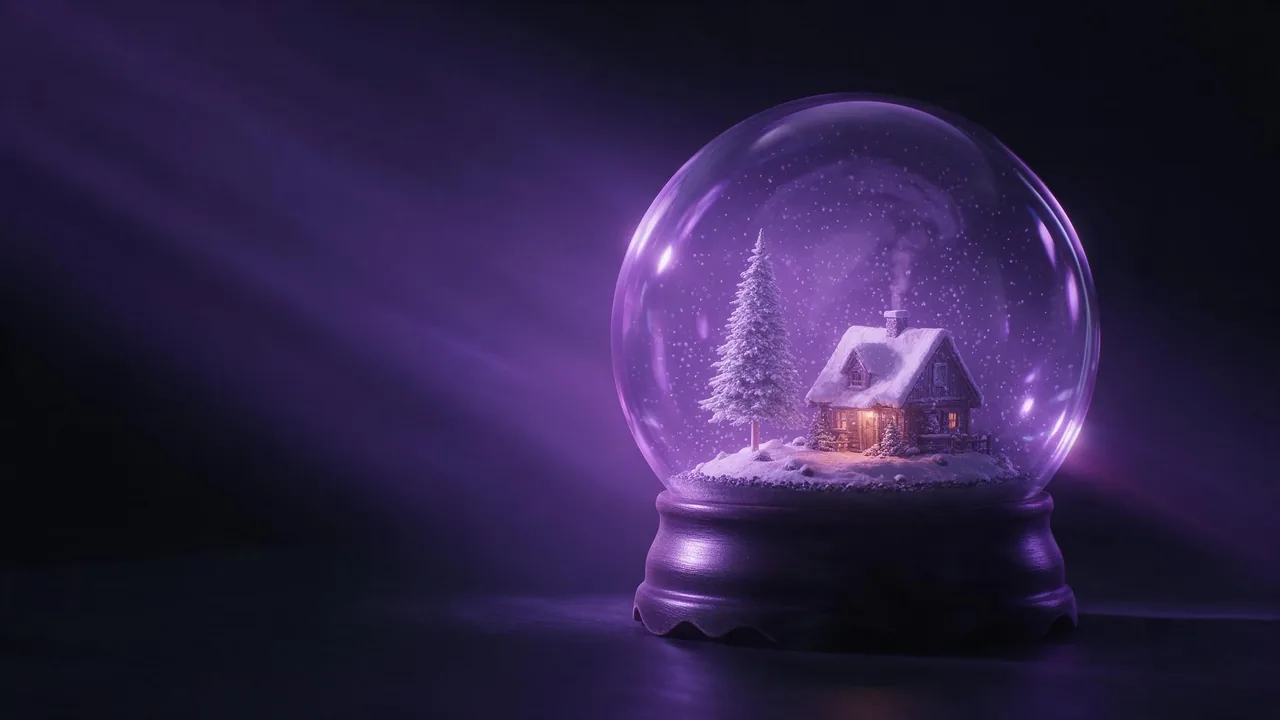
Ask for "a snow globe" and you usually get a snow globe-shaped thought: a ball, some white dots, a vague house somewhere in the middle. It looks fine for a second and then you notice that nothing in it is small. The cabin has life-size shingles, the snow is a haze over the whole picture, and the glass is just a circle drawn around it. A real snow globe is a tiny set built in layers, and the prompts that work follow the same order a model-maker would. Start in the middle and work outward.
Layer one: what lives under the dome
Pick one scene and keep it simple, because the dome is small and every extra object makes the others smaller. Three that hold up well, and none of them needs a person:
- A tiny village. Three or four houses on a little hill with one lit window each. Say the number; without it the model builds a city.
- A lighthouse on a rock. One strong vertical, a small beam, a few pines. It also gives the snow something to drift past.
- A cabin and one fir tree. The classic. Add a thread of chimney smoke and a path, and stop there.
Write the scene as a model, not as a place. "A miniature painted wooden cabin with a plaster snow roof" tells the model this is a crafted object; "a cozy cabin in the snow" tells it to render a landscape and then squeeze it into a ball.
Layer two: the glass, the base and the snow
The dome is where most prompts fail, because glass is mostly invisible. What you can see of it is the highlights on the curve, a thin edge where it meets the base, and the way the scene behind it bends. So write those: a clear glass dome with a bright window reflection on the upper left, a soft rim light along the edge, and a slight distortion at the border. The base earns two or three words as well (dark carved wood, brass ring, a small music-box key). It also grounds the object and gives you somewhere to put a pool of light.
Snow is the other trap. "Falling snow" with no size gives you dust: hundreds of identical specks in a veil. Ask for fewer, larger, uneven flakes, some sharp and some soft, drifting slowly, with a few settled on the ground of the scene. Count words help the same way they did for the houses: "a few dozen flakes" gets you something you can see individually.
Layer three: make it look small
Scale is not in the objects, it is in the camera. A macro lens and a shallow depth of field are the two things that say tiny, so use the photographer's vocabulary: macro photograph, tilt-shift look, the front of the scene in focus and the dome edge falling soft. Add a lamp as the light source, not a sky; the lighting guide covers direction and quality of light, and for a globe a single warm window glow inside against a cool light outside is enough. The glass-and-finish side of the same idea is in the material words post.
Macro photograph of a glass snow globe on a dark carved wooden base, a miniature painted lighthouse on a plaster rock with three small pines inside, a few dozen large soft snowflakes drifting, tiny warm light in the lighthouse window, bright window reflection on the upper left of the glass, soft rim light on the dome edge, tilt-shift look, shallow depth of field, dark background, cool blue ambient lightFixing the usual problems
- The scene fills the whole picture and the globe is gone. Say the dome is the subject and name the table or shelf it stands on, with space around it.
- Flakes look like noise. Cut the count, raise the size, and mention that they are individual.
- The glass is flat or white. Name the reflection and its position, and ask for a dark backdrop so the highlights have something to show against.
- The houses are too real. Use the words painted, plaster, handmade, miniature, and keep the number of objects low.
- Too busy. Remove one object and render again. It almost always helps.
Stills first, then a little snowfall
Get the picture right before you think about motion. Render the still on a draft-friendly model such as Still Lite, from €0.30, and keep the good one; if you want repeatable variations on the same globe, the seed explainer shows how to pin one. Then open the studio, use Animate on the picture you like to send it to video as the start frame, and describe only the motion: snow drifting slowly downward, a faint flicker in the window, static camera. The photo-to-video walkthrough has the steps, and clips run up to 30 seconds depending on the model, though a 5-second loop-like moment is plenty for a globe. The models page lists which video model fits your budget.
What it will not do
Glass is hard. Expect the occasional warped base, a dome whose edge does not quite close, or reflections that do not match the light, and plan to re-roll a few times. Snow in video can also turn into shimmer, with flakes appearing and vanishing instead of drifting down, and no prompt guarantees a seamless loop. The studio does not shake a globe for you: it makes a picture, or a short clip from one, and the real physics of settling flakes is the model's guess. For a gift or a card, treat the still as the product and the clip as a bonus.
Questions
How do I stop the snow from looking like dust?
Ask for fewer and larger flakes, say they are individual and uneven in size, and keep a few settled on the ground of the scene. Dense falling snow with no size reads as a haze.
Do I need a person or an animal in the scene?
No. A cabin, a lighthouse or a few houses is enough, and fewer objects keep the dome looking small and the details crisp.
Can I make the snow move?
Yes, as a short clip. Make the still first, animate it from the studio and describe only the drifting snow with a static camera. Results vary, so render more than one.